Notist / To‑dos

Just write it,
and the date and time are set.

Reminds you before you forget.

All features free · No ads
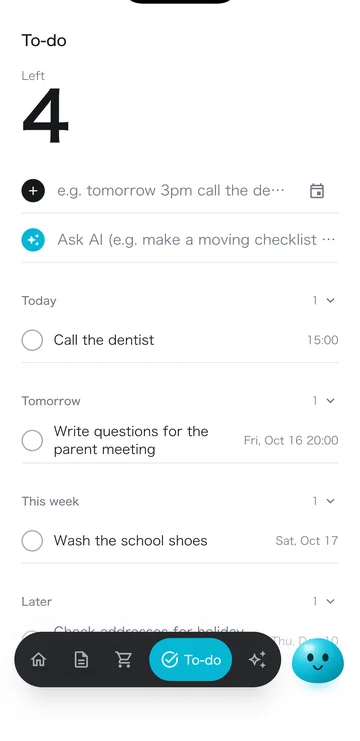
To‑dos screen

01 · Write

Reads the date and time
from what you write.

No need to look for date or time fields. What you write becomes a to‑do with a date and time.

+

02 · From your chat

Things to do from your chat,
added as to‑dos with due dates.

The AI picks out things to do from what you say in AI chat, sets a suitable due date and adds them as to‑dos.

  • —The AI sets the due dateFrom the conversation: the night before a meeting, before the weekend, and so on.
  • —Events go to eventsPlans at a set time go to events; things to do go to to‑dos.

    03 · Reminders

    Reminds you the day before
    and just before.

    To‑dos with a time: 8:00 PM the day before, 1 hour before and on time. Date only: 8:00 PM the day before and 9:00 AM that day.

    1. 8:00 PM the day beforeTomorrow 3:00 PM: Call the dentist
    2. 2:00 PM that dayReminder 1 hour before
    3. 3:00 PM that dayReminder on time

    04 · Calendar

    Events and to‑dos
    in one calendar.

    Events sync with your phone's calendar. Switch between month and week to see events and to‑dos together.
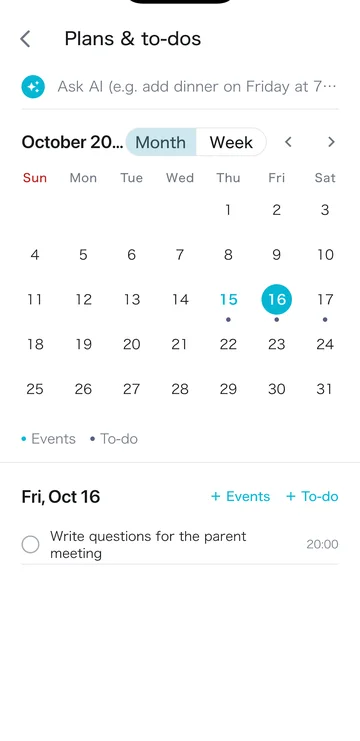
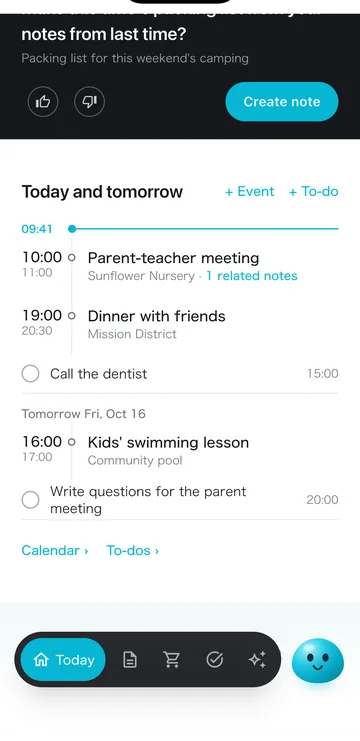
    Calendar with events and to‑dos
    Month / week calendar
    Today's and tomorrow's events and to‑dos
    Today's and tomorrow's events on “Today”

    05 · AI

    What's worth doing,
    the AI suggests first.

    Based on your events and to‑dos, the AI suggests what to prepare. One tap adds it as a to‑do. You can also ask AI chat to “add … as a to‑do.”
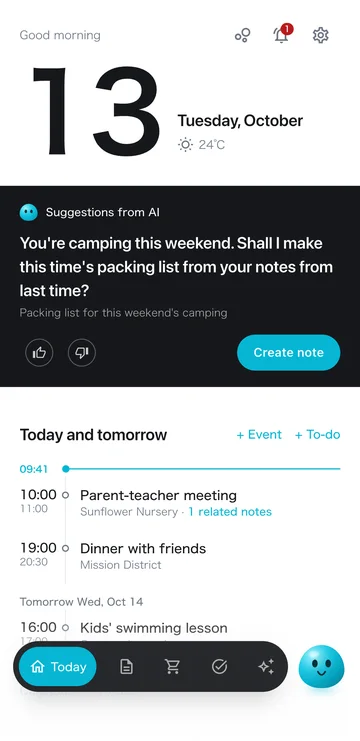
    Today's suggestion screen

    06 · Gets to know you

    The more to‑dos you write,
    the better the AI fits you.

    From your to‑dos and events, the AI learns your habits and schedule patterns. It uses that in today's suggestion and in AI chat.

    • —See and edit what it learnedCheck “How the AI sees you,” and edit or delete anything that's wrong.
    1. ✎Notes
    2. ✓To‑dos & events
    3. 🛒Shopping & bought
    4. 👍Ratings of suggestions & meals
    5. 🍳Meal preferences
    The AI sums it up
    How the AI sees you
    1. Used in suggestions and AI chat

    When it helps

    Remember the things
    you need to do.

    1. Calls and errands

      Calling the dentist for an appointment

      1. YouWrite “call the dentist tomorrow at 3 PM”
      2. NotistReminds you at 8:00 PM the day before, then at 2:00 PM and 3:00 PM
    2. Kids' tasks

      Washing school shoes, handing in forms

      1. You“Wash the school shoes by Friday”
      2. NotistReminds you Thursday at 8:00 PM and Friday at 9:00 AM
    3. Preparing for events

      Listing questions the day before the parent-teacher meeting

      1. YouAsk the AI, “Parent-teacher meeting on Tuesday, and a prep to‑do the day before”
      2. NotistCreates the event and the to‑do, and reminds you the day before
    4. Toward the end of the year

      Plans far ahead, on the calendar too

      1. You“Dec 10 check addresses for holiday cards”
      2. NotistShows it in December on the calendar, and reminds you the day before

    FAQ

    FAQ

    How do I set the date and time?

    Write it in the text, like “call the dentist tomorrow at 3 PM,” and it reads the date and time. Asking AI chat works too.

    When do reminders arrive?

    To‑dos with a time: 8:00 PM the day before, 1 hour before and on time. Date-only to‑dos: 8:00 PM the day before and 9:00 AM that day.

    Does it sync with my calendar?

    Events sync with your phone's calendar. To‑dos appear with events in month / week calendar views.

    Does the AI suggest to‑dos?

    Yes. Based on your events and notes, it suggests one thing to do today, which you can add as a to‑do in one tap.

    Is it free?

    All features are free, with no ads. AI use has a monthly allowance; even after you use it up, tonight's meal plan and today's suggestion still arrive every day. If you use the AI a lot, the paid Plus / Pro plans give you a larger allowance.

    Price

    Almost every feature, free.

    Plus raises the AI allowance when you need more. No ads.

    Major update launchNov 4 – Dec 3, 2026

    Start Plus in this period andyour first 1 month is free

    For new users and current free users. After the free month, Plus renews monthly at the regular price. Cancel anytime.

    Get started with Notist

    QR code for the App Store
    iPhone
    QR code for Google Play
    Android

    Free · No ads · iOS 15+ / Android 7.0+

    More use cases