Notist / AI notes

Just write.
AI keeps it organized.

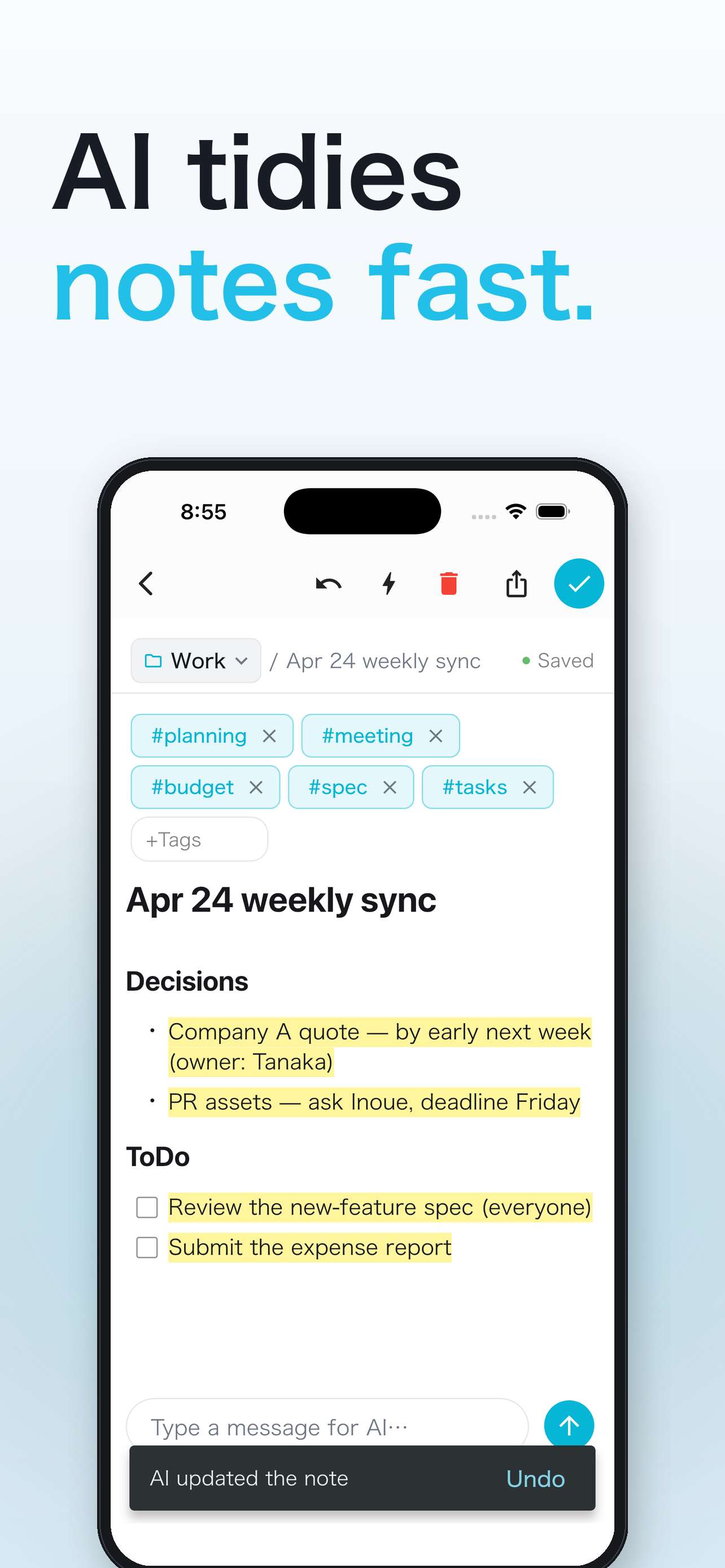
No more deciding on folders and titles. Write whatever comes to mind in the chat, and AI tidies it up and files it in the right folder.

Free · no ads · iOS 15+ / Android 7.0+
AI organizing notes all at once
ORGANIZE

Scattered notes,
tidied in one go.

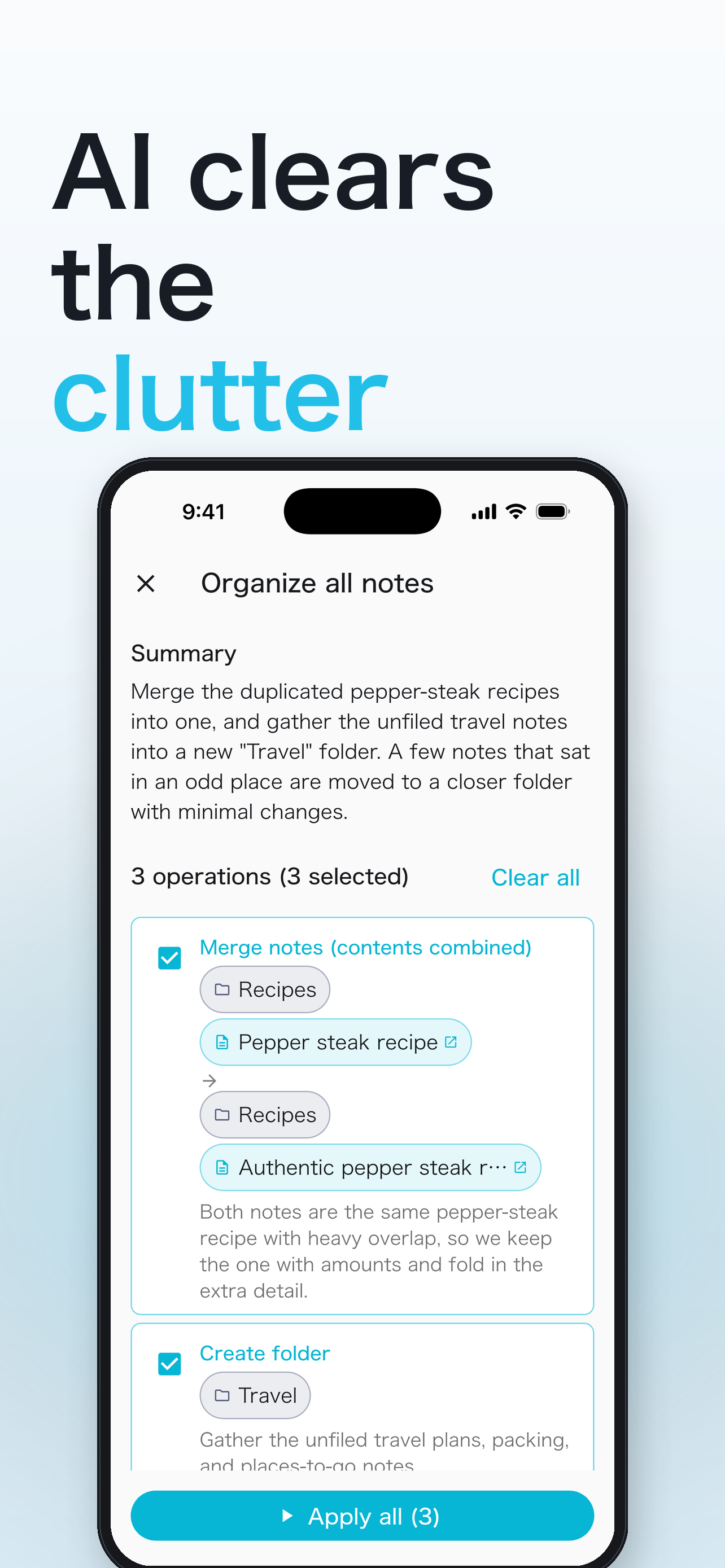
Ask "organize all my notes" and AI proposes merging similar notes, creating folders and moving notes. Review the list before applying, and apply only what you pick.

  • Merge similar notesNotes on the same topic become one.
  • Create folders and file notesNested folders are supported.
  • Ask and it finds"Where's my note from last year's trip?" opens it.
A note tidied by AI
AI researching the web into a note
RESEARCH

Research,
kept as notes.

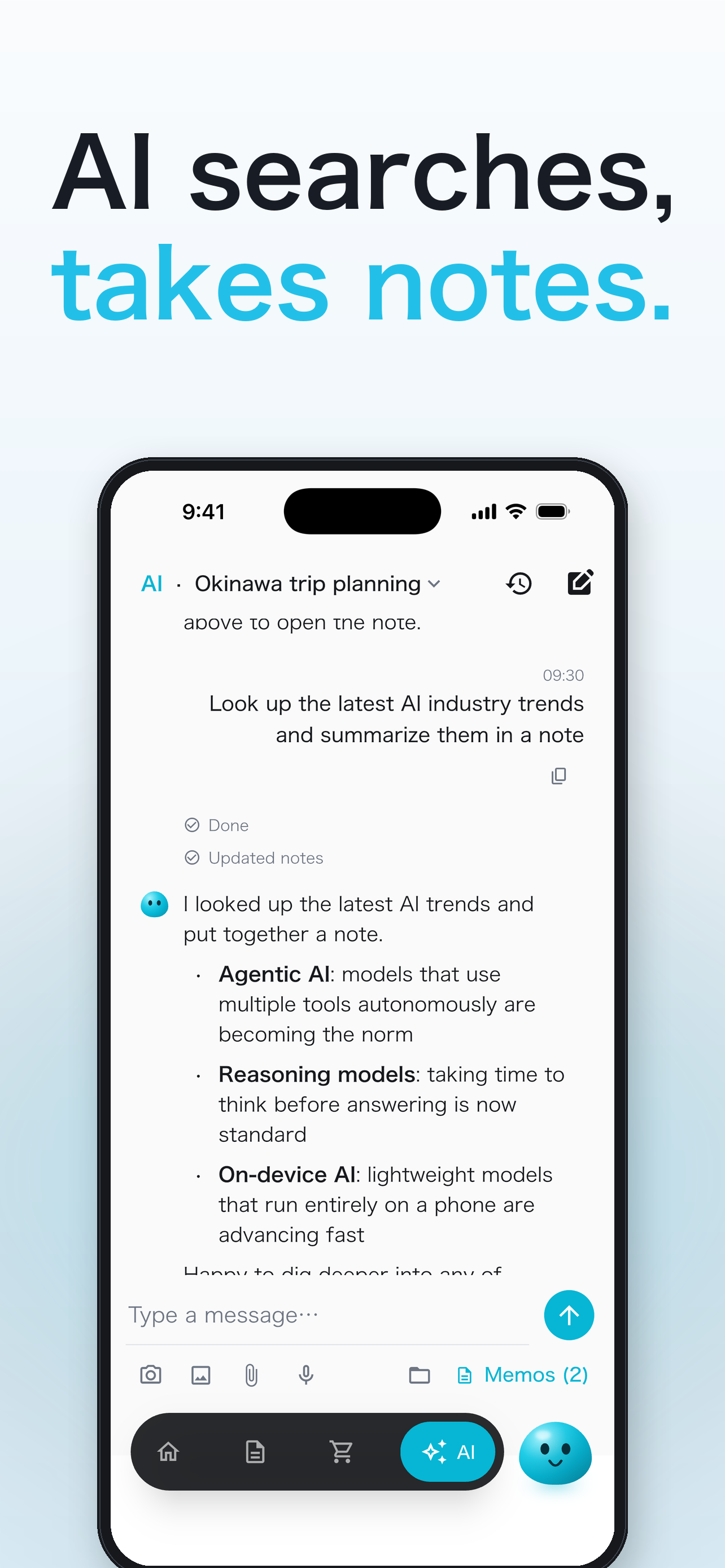
Ask "research the latest AI trends and write it up" and AI searches the web and writes a note with sources. You can attach images or files and ask about them, too.

  • Web research into a noteSource links open with a tap.
  • Edit by hand any timePreview AI changes before applying, or rewrite them yourself.
EXAMPLES

Things you can ask.

You ask

"Tidy up these meeting notes."

↓
AI replies

Split into decisions and to-dos.

You ask

"Combine last month's idea notes."

↓
AI replies

Merged 3 similar notes into one.

FAQ

FAQ

How is it different from other notes apps?

You can ask the AI chat to create, organize and search notes. AI also proposes folders and merges.

Can I use it as a plain notes app without AI?

Yes. Creating, editing, folders, tags and search are free and work without AI.

Where are my notes stored?

On your device. Sign in to sync them across devices through the cloud.

Get Notist

Free, no ads.Open on the web →

More ways to use it